
29 days ago I finally found an Apple Retailer who carried the Apple Watch in-store. Of course I looked at their online retail website a thousand times, but I couldn’t justify purchasing wearable tech without trying it on. Let me tell you, I’m sure glad I did because the 38mm version was way too small for my wrist. Even my girlfriend said it looked too feminine on me. In the end, I picked out the 42mm black Apple Watch sport. 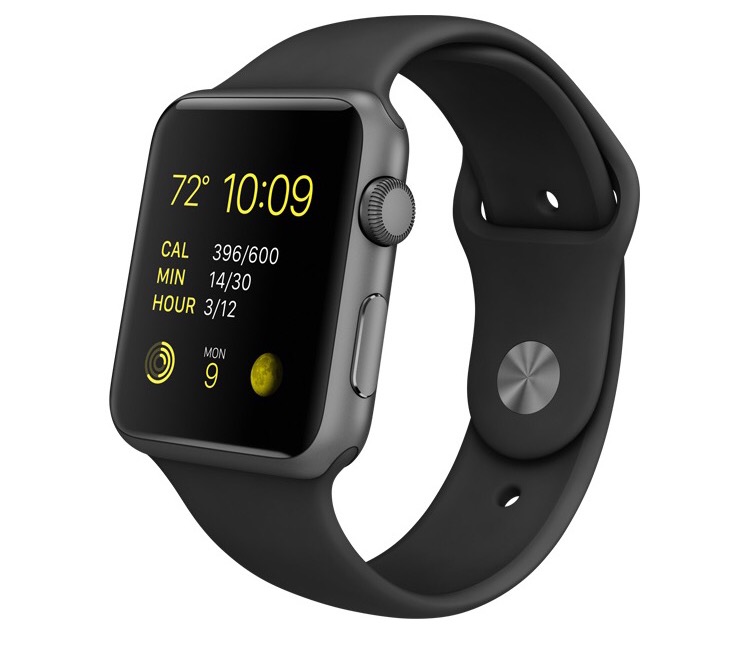
Now, the end of my 30-day trial period is almost to a close. Before I purchased my Apple Watch, I read a plethora of blogs who all wrote on this same concept, so what I am writing is nothing new. However, I’m not writing for publication or the press, thus I can say whatever it is that I like — take that mainstream media!
Enough exposition. This is my personal review of my experience with Apple Watch. (This is for you, Pedro!)
The Watch Face
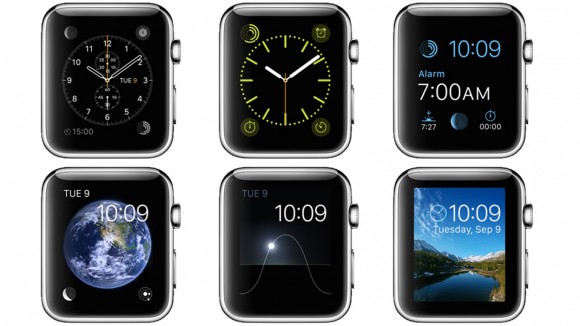
Remember, this is still a watch. It should tell the time and the date if you want to get really fancy. I’ve found the watch face to be the simplest part of the device. It’s sleek and customizable. You can add other visual elements to its corners such as the date, battery life (the worst one to stare at), temperature, phases of the moon, etc. The watch itself is ultra responsive about displaying the watch face whenever you hold up your wrist to check the time–or any upward motion at all for that matter.
Siri
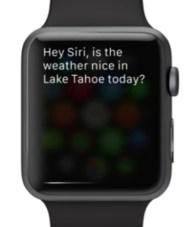 Siri and I have gotten really close over the last 29 days. The conversation always starts out with “Hey Siri…” Technically that’s how it works. Anytime you tilt your wrist to display the time, Siri listens for a few seconds for you to say “Hey Siri…”, followed by a command. I have found this to be the fastest way to make calls, texts, inquire about the weather or ask the population of Fargo, North Dakota. Similar to the iPhone, you can hold down the “home button” (aka Digital Crown) to get Siri, but I’ve found that I’ve used it very little.
Notifications
Now, I’m not saying I’m a popular guy, but I do get lots of notifications throughout the day (mostly Groupons, Amazon offers, and still plenty of messages from friends and acquaintances). Perhaps the most useful part of the Apple Watch is the ability to sort through notifications right from your wrist. Maybe it’s just me, but I always felt disappointed when I received a notification to my iPhone and had to go through the hassle of pulling it out of my pocket just to find out it was just another organization-wide e-mail about “Watermelon Friday”. I basically lost 45.8 seconds of productivity and potentially more depending on if I opened Twitter, checked the weather or the Reds’ score, etc.
I have found myself able to simply dismiss (or delete) the notifications that don’t require urgent response or quick reply to those who do. For texts and iMessages, there are current and custom emojis, preset messages (that are also customizable) or the ability to dictate a reply. Sure you might look funny in the office telling your watch to order the pizza by 5:30 but who cares, right? People soon recognize you as the loon who talks to his watch anyway.
Workout
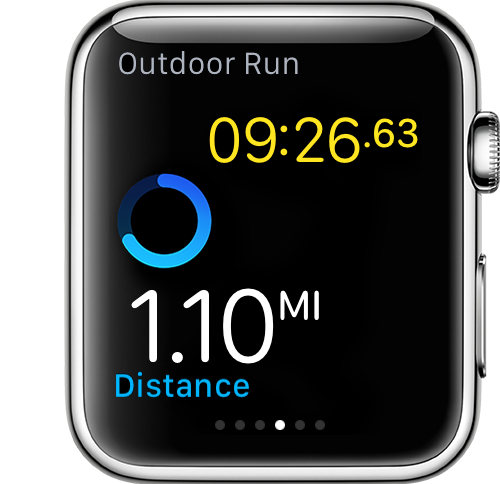 Before purchasing my Apple Watch, I started running. Sure I’m no marathoner, but it has been a good way to get back in shape this summer. Apple Watch has been a great workout companion. Now I can leave my phone in the car and still track my distance. Apple Watch simultaneously tracks distance, duration, calories burned, and heart rate for you, giving you a detailed readout at the end of your exercise. Also, I’m still contemplating getting a pair of bluetooth headphones. Apple Watch can store up to 2GB of music separately from your phone so, say your favorite running playlist, and can steam it directly to your bluetooth headphones.
Passbook and Apple Pay
Yes, Apple Watch does have NFC technology and all of your passbook items. I’ve been able to use Apple Pay a few times (mostly buying almonds from the vending machine at work), but I’ve found that it’s no easier to pay with Apple Watch than it is iPhone. With Apple Watch, you have to open Passbook, select your card, and double click on the side button, instead of directly picking up the signal and asking for permission like iPhone does. But it’s still cool, of course, to pay for things with Apple Watch. It’s almost guaranteed to get a funny look from the cashier.
Third Party Apps
In my 29 day experience with Apple Watch I’ve seldom used the third party apps that installed during setup. I’m sure I could’ve done more research, but “nobody got time fo dat.” I have the following apps on my Apple Watch for notification purposes only: Twitter, ESPN, Starbucks, and Amazon. The one third party app that I didn’t expect to be so compatible was “Due”. Due works well, in conjunction with my iPhone, to remind me of various things. I’m certain that I’ll find more third-party apps that work well with Apple Watch, I just have to actually look.
Miscellaneous
- The battery life is much better than I expected. I’ve found a full charge should last 20 hours (or more–I haven’t exactly pulled an all-nighter yet). Also wireless charging! So cool!
- Apple Watch can be used as a remote and monitor for your iPhone’s camera, so I have found it easy to set it up and take photos of a group from a distance. (TAKE THAT, SELFIE STICKS!)
- I have used Apple Watch a time or two to make or receive phone calls. Of course it isn’t practical if you’re going to make a long phone call, but it’s great for shorter ones (think Knight Rider). Plus, you can tell your grandmother that you’re calling her from your watch and she’ll think you’re crazy.
- Apple Watch is water resistant, meaning that I don’t have to worry when washing my hands, doing dishes, caught in a Boone, NC rain shower (they happen ALL the time). The guy at the Apple Store told me that he even wore his in the shower for the first couple days…eww.
- I purchased my Apple Watch with the black sport band. I plan on purchasing a third-party metal band off of Amazon, I just haven’t gotten around to it yet. However, I’ve worn it to work with business professional attire and it doesn’t look out of place.
- You can use Apple Maps to get navigation on Apple Watch. While driving, Apple Watch will give you three taps and clicks–that almost sound like a blinker–to tell you when to turn. I’ve wanted to use it while walking, but haven’t been to a major metropolis in quite some time.
- I worried too much about scratching the screen up against some hard surface one day, so I purchased a military-grade screen cover. I’ll apply it later so I can dry overnight, but my hope is that it doesn’t mess with the sensitivity or clarity of the screen.
In the end, I think I’ll keep my Apple Watch. I’m interesting in seeing what the new iOS update will bring, and hopefully they don’t make this model too obsolete if and when the “Apple Watch 2” is released.
 gabrielwillison.com
so which watch did you purchase? the photo and text tell me nothing about the exact model you bought.
LikeLike
Sorry, I was too vague! I mentioned that I did not get the 38mm, but I did get the 42mm Apple Watch Sport with a black band. It was the only color that had the “space gray” alluminum, whereas the other colored bands came with lighter alluminum. Thanks for asking!
LikeLike
Thanks!
LikeLike
Gabe,
I’ve had my watch since the end of May. I find it works just as well as you described above. I agree with what you say about the battery I’ve been very surprised how long it’ll last. Only having an iPhone 5 I find Apple pay on the watch very convenient. I’ve seen some of the previews for the watch OS9 and it looks impressive.
LikeLike